Want to see what your photo would look like if it had been taken in the 1980s? Start with a ready-to-copy 1980s AI photo prompt.
Upload a clear photo to ChatGPT, Gemini, or another AI image editor, then copy one of the prompts below. The best results come from prompts that describe not only 1980s clothes and hair, but also the camera, lighting, film texture, color, and imperfections that made real photos from the decade look distinctive.
Start with the all-purpose prompt below, or choose a specific style such as a yearbook portrait, family-album photo, Bollywood portrait, mall studio shot, or VHS frame.
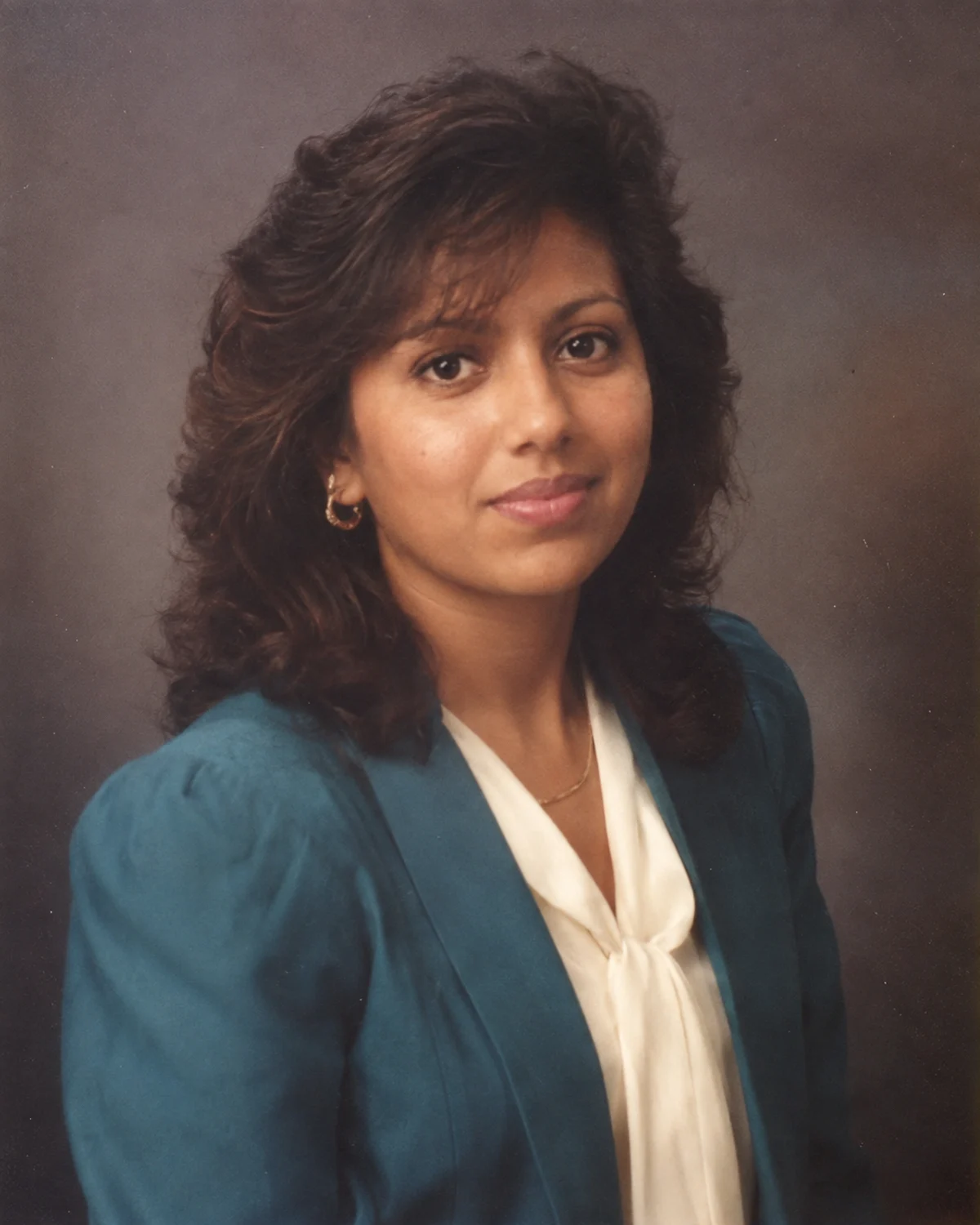
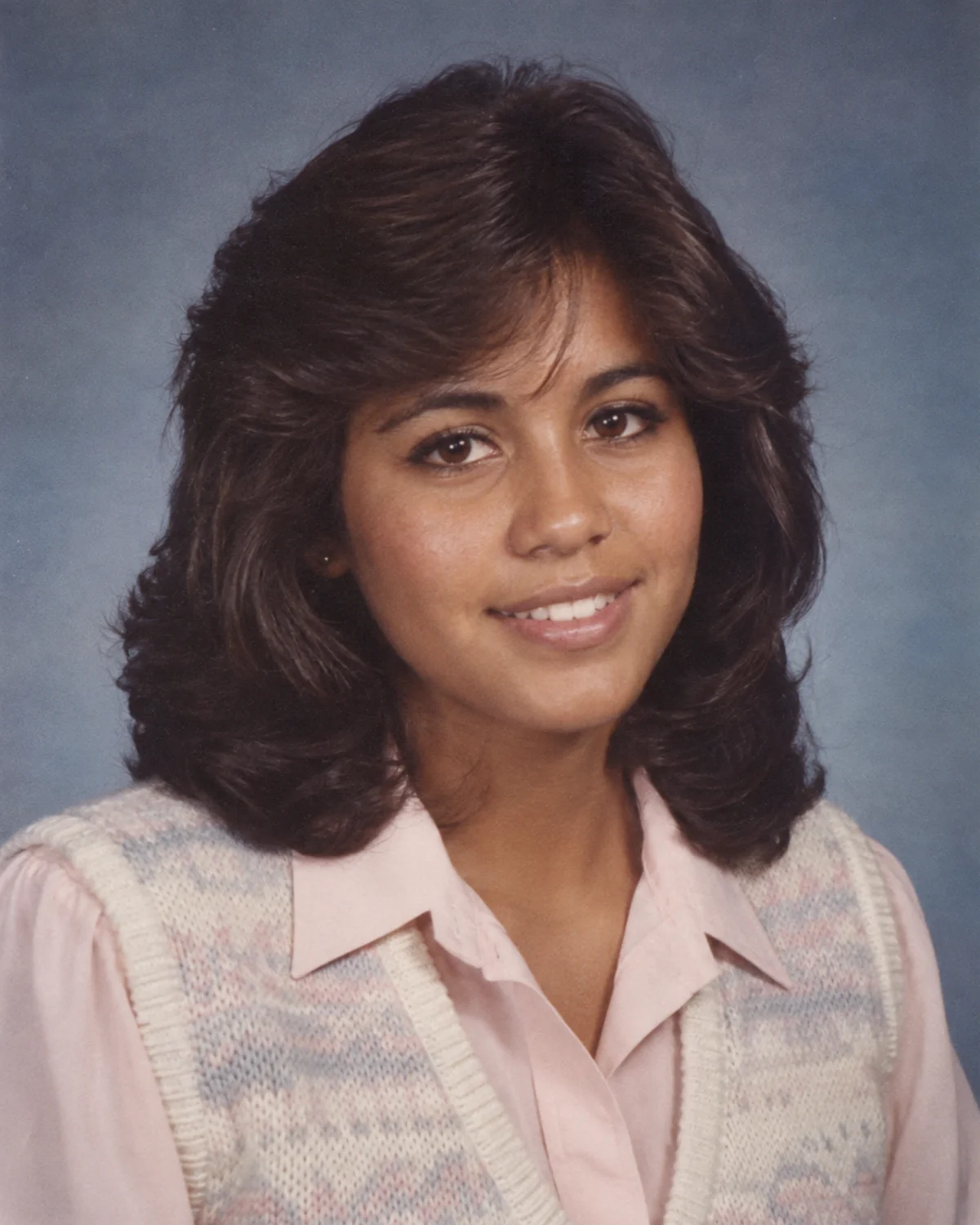
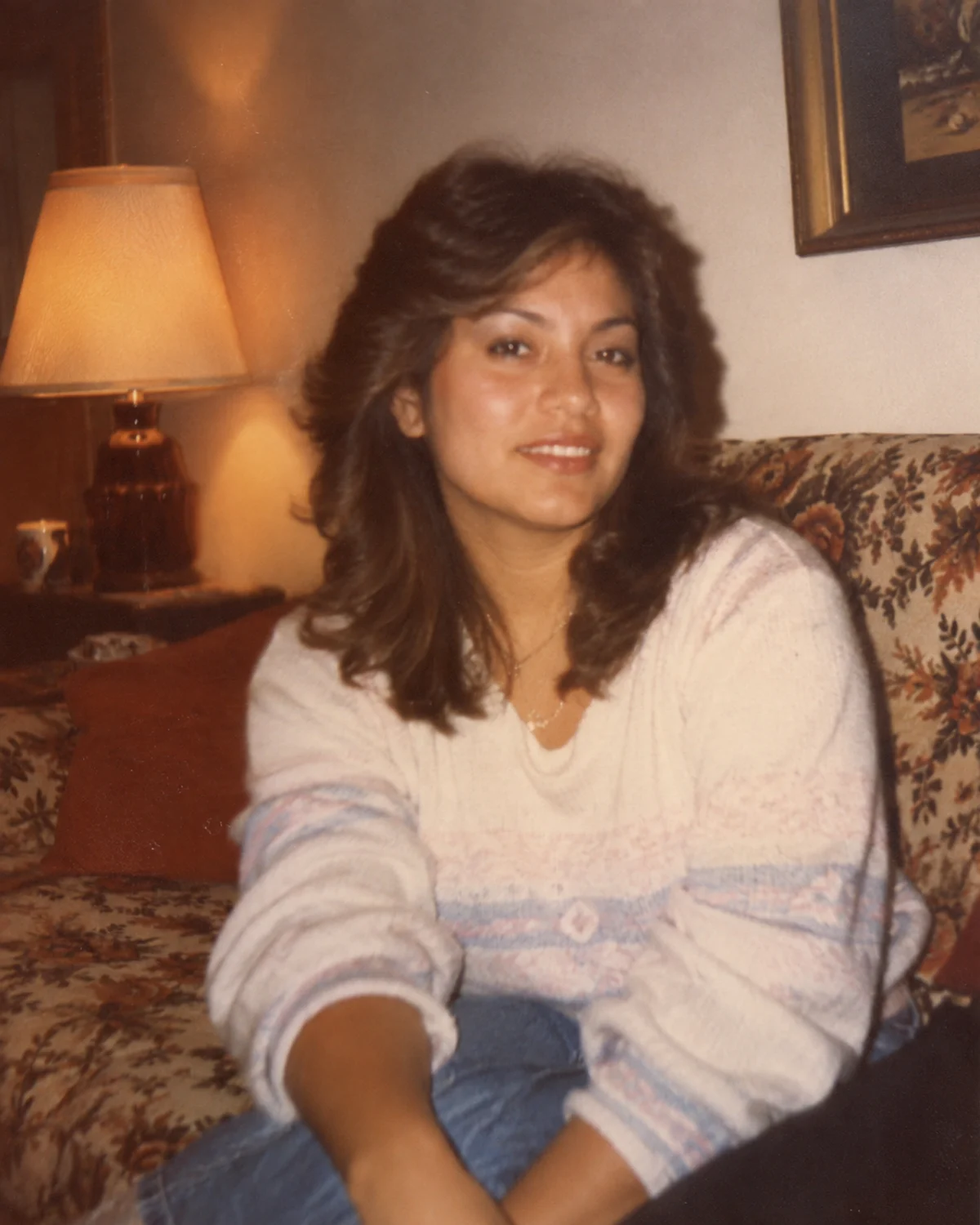
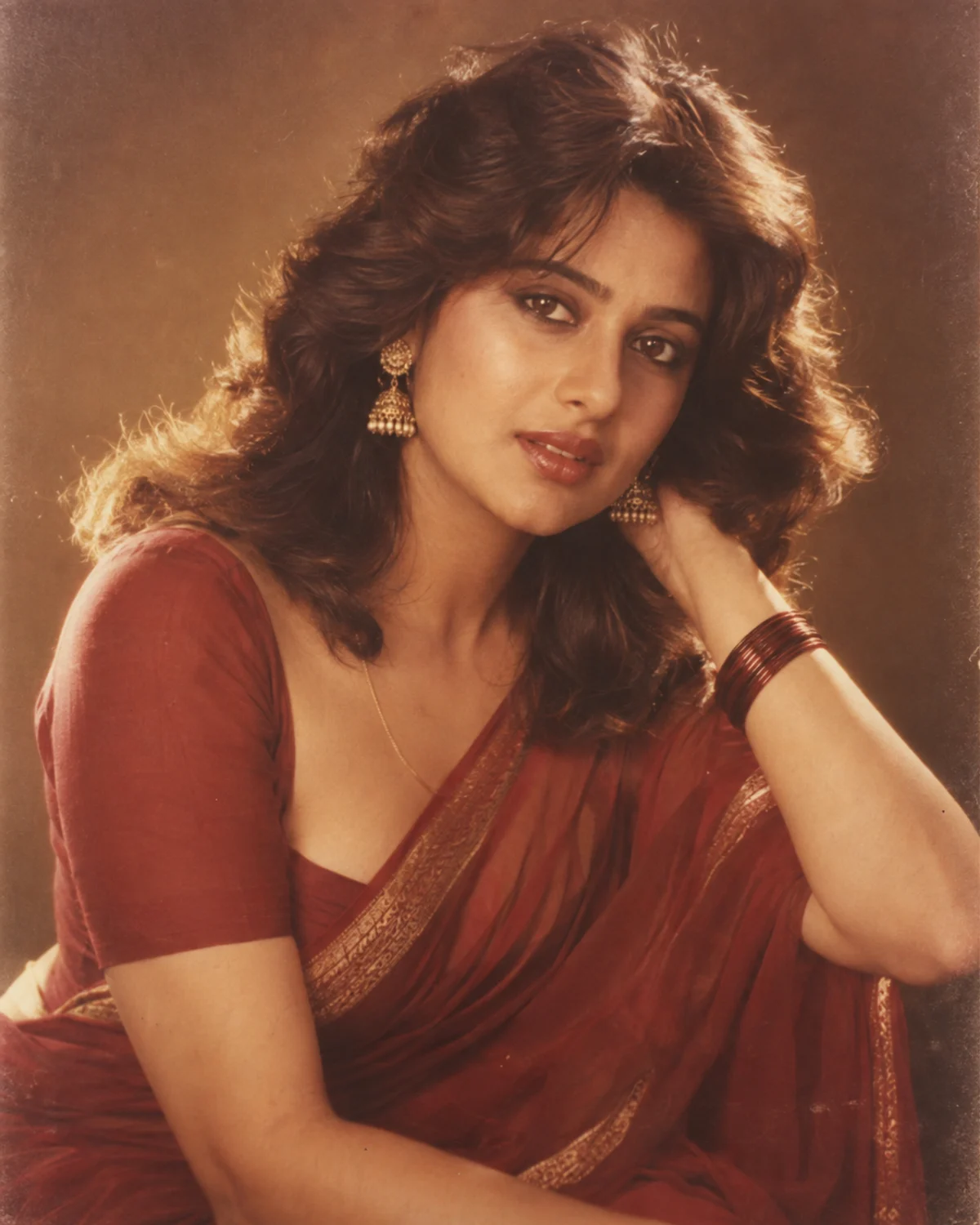
These AI-generated examples use fictional people and scene-specific versions of Prompts 01, 02, 03, and 06. They illustrate the intended styles; results from your own photo will vary.
Best 1980s AI Photo Prompt to Copy and Paste
Use this version when you want a believable 1980s look without forcing the photo into one specific scene.
Prompt 01 — Classic 1980s Photo
Example result · Prompt 01
Transform my uploaded photo into an authentic photograph taken around 1985. Keep my face, facial proportions, skin tone, age, expression, and recognizable identity consistent with the original image.
Restyle the hair, clothing, accessories, and surroundings with believable mid-1980s details. Make the result feel photographed rather than digitally filtered: natural skin texture, direct or softly diffused flash, slightly faded color, subtle 35mm film grain, gentle softness, realistic contrast, and small analog imperfections.
Avoid modern phones, modern fashion, contemporary furniture, futuristic objects, excessive HDR, plastic skin, exaggerated neon effects, or obvious AI artifacts. Do not add captions, logos, watermarks, or decorative text.
Tip: Use a clear, front-facing photo with good lighting if keeping your face recognizable matters more than dramatic styling.
10 1980s AI Photo Prompts for Different Styles
Prompt 02 — 1980s Yearbook Photo
Example result · Prompt 02
Turn my uploaded photo into a realistic 1986 school yearbook portrait. Preserve my recognizable face, skin tone, age, and facial proportions. Use a simple studio backdrop, period-appropriate hairstyle and clothing, soft frontal flash, slightly muted colors, mild film grain, natural skin texture, and the restrained posing of a real school portrait. Keep the result believable and avoid modern styling, text, logos, or exaggerated retro effects.
Prompt 03 — 1980s Family Album Photo
Example result · Prompt 03
Recreate my uploaded photo as a casual family-album photograph from the late 1980s. Keep my identity and face recognizable. Use ordinary period-appropriate clothing, a lived-in home interior, warm indoor lighting, slightly imperfect framing, mild motion softness, faded consumer-film colors, and visible but subtle grain. Make it feel like a real snapshot kept in a family photo album rather than a modern fashion shoot.
Prompt 04 — 1980s Mall Studio Portrait
Transform my uploaded photo into a mid-1980s shopping-mall studio portrait. Preserve my face and identity. Add period-appropriate hair, clothing, and accessories, a softly lit studio backdrop, gentle glamour lighting, direct-flash character, slightly warm color, fine analog grain, and realistic print softness. Keep the styling bold but believable, with no modern objects, text, logos, or glossy digital skin.
Prompt 05 — 1980s Street Candid
Make my uploaded photo look like a candid street photograph taken in 1988. Preserve my recognizable facial features and natural skin tone. Place me in a believable late-1980s urban setting with period-correct clothing, storefronts, vehicles, and street details. Use natural daylight, 35mm film grain, slightly faded color, imperfect focus, and spontaneous framing. Avoid modern signs, smartphones, contemporary cars, or cinematic CGI styling.
Prompt 06 — 1980s Bollywood Portrait
Example result · Prompt 06
Reimagine my uploaded photo as a glamorous 1980s Indian cinema-inspired portrait while keeping my face, skin tone, age, and identity recognizable. Use period-appropriate hair, wardrobe, accessories, expressive but natural posing, warm studio lighting, soft focus, slightly faded film color, subtle grain, and the photographic character of an authentic promotional portrait from the decade. Keep it realistic rather than costume-like, and do not add movie titles, logos, or text.
Prompt 07 — 1980s Couple Photo
Transform the people in this uploaded photo into a believable late-1980s couple portrait. Preserve both identities, facial features, skin tones, relative heights, and natural expressions. Use period-appropriate clothing and hairstyles, a simple studio or home-photo setting, warm flash lighting, analog grain, slightly faded colors, and natural posing. Do not merge faces, change the number of people, add text, or introduce modern objects.
Prompt 08 — 1980s Vacation Snapshot
Turn my uploaded photo into a casual vacation snapshot from the 1980s. Keep my face and identity recognizable. Use believable period travel clothing, a natural outdoor location, bright daylight, consumer-camera exposure, mild grain, slightly washed colors, small framing imperfections, and the relaxed feel of a personal holiday photograph. Avoid modern accessories, smartphones, contemporary vehicles, or polished influencer-style posing.
Prompt 09 — 1980s Disco Night
Recreate my uploaded photo as a believable 1980s nightlife photograph. Preserve my identity and facial features. Use period-appropriate evening fashion, styled hair, a real nightclub or dance-floor environment, practical colored lights, direct-camera flash, visible film grain, darker shadows, slight motion softness, and authentic analog color response. Keep the scene photographic rather than futuristic, and avoid modern LED-club aesthetics or added text.
Prompt 10 — Late-1980s VHS Frame
Transform my uploaded photo into a frame from a late-1980s consumer camcorder recording. Keep my face and identity recognizable. Use soft standard-definition detail, mild analog noise, slight color bleed, warm indoor lighting, imperfect white balance, subtle interlaced-video character, and natural home-video framing. Do not add fake subtitles, logos, timestamps, or excessive glitch effects unless I explicitly request them.
Build Your Own 1980s AI Photo Prompt
Choose a scene, photo style, and mood. We’ll combine them into a ready-to-copy prompt. No image upload is required on this page.
Transform my uploaded photo into an authentic mid-1980s studio portrait photograph. Preserve my recognizable face, facial proportions, skin tone, age, and identity.
Use believable period-appropriate hair, clothing, accessories, background details, and posing. Render the image with a 35mm Film look and a natural mood, including realistic analog texture, era-appropriate color, natural skin detail, and small photographic imperfections.
Avoid modern objects, contemporary fashion, artificial plastic skin, excessive retro filters, obvious AI artifacts, captions, logos, watermarks, or decorative text.
Turn Your 1980s AI Photo Into a Video
Once you have a 1980s-style photo you like, you can also use it as the starting frame for an AI video. Keep the motion subtle if you want the result to feel like an old home video rather than a modern cinematic animation.
Prompt video-01 — Home Video
Animate this image as a short late-1980s home-video clip. Keep the person’s face, clothing, hairstyle, and background consistent with the source image. Add only subtle natural motion: blinking, breathing, a small head movement, and slight handheld camera drift. Preserve the soft analog video texture, warm color, mild noise, and imperfect consumer-camcorder feel. Do not add captions, logos, modern objects, or dramatic camera moves.
Prompt video-02 — Studio Portrait
Animate this 1980s studio portrait with minimal realistic movement. Keep the person’s identity and styling unchanged. Add a gentle shift in posture, natural blinking, a small smile, and subtle camera movement. Preserve the original lighting, film texture, color, and retro photographic character. Avoid lip-sync, large body movement, new objects, text, or modern visual effects.
How to Make a 1980s AI Photo Look More Real
A convincing 1980s image usually depends more on photographic details than on adding as many retro objects as possible.
Keep identity instructions near the beginning of the prompt when you are editing a real portrait. Describe one believable camera style instead of mixing film, VHS, Polaroid, and modern cinematic language in the same prompt. Ask for natural skin texture and small imperfections so the result does not look like a polished digital fashion image with a vintage filter.
If the first result feels too modern, refine the camera and lighting before adding more clothing details. Phrases such as 35mm consumer film, direct on-camera flash, slightly faded color, imperfect focus, warm indoor lighting, or casual snapshot framing usually give the model clearer photographic direction.
1980s AI Photo Prompt FAQ
What is the 1980s AI photo trend?
It is a photo-editing trend where people upload a modern portrait to an AI image tool and ask it to recreate the same person as if the picture had been taken in the 1980s.
Can I use these prompts in ChatGPT?
Yes. Upload a photo to a ChatGPT experience that supports image editing, then paste one of the prompts and refine the result if needed.
Do these prompts work with Gemini?
They can also be used as starting instructions in Gemini and other AI image editors that accept an uploaded reference image. Results will vary by model.
How do I keep my face the same?
Use a clear reference photo and explicitly ask the model to preserve your recognizable identity, facial proportions, skin tone, age, and distinctive features. Avoid asking for too many dramatic changes at once.
Why does my 1980s AI photo still look modern?
The prompt may describe retro clothing without describing how the photo itself was captured. Add a believable camera, flash, film grain, color response, softness, and small analog imperfections.
Can I turn the result into an AI video?
Yes. Use the generated image as a reference or starting frame in an image-to-video model, and request subtle motion if you want to keep the old home-video or studio-photo feeling.
Image editor help
For help uploading a reference photo or making a follow-up edit, see the official instructions for your image editor.