If the words disappear when you turn a subtitle track off, manage that track instead of repairing the picture. If they remain, inspect the original project or ask for a clean master. Only text confirmed to be burned into the image needs visual cleanup when no clean source is available. Open and closed captions describe viewer control; they do not by themselves establish where the text is stored.
Published · Updated
Check the subtitle source in three steps
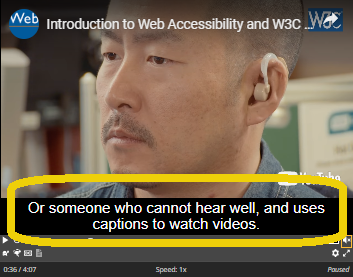
Start with the player, then verify in the source workflow if you can. On YouTube, for example, a visible CC control lets a viewer turn captions on or off; if turning it off removes the words, that player was displaying a separate caption track. The same principle applies in any editor or player that lets you select a subtitle or caption track independently of the video layer.
Do not draw the opposite conclusion too quickly. No CC button can mean there is no accessible track, but it can also mean that the player, container, account setting, or platform is not exposing it. A screenshot only shows what was rendered at that moment; it cannot by itself tell you whether the text originated from a track or was baked into the file. When the stakes are higher than a quick viewing decision, inspect the original timeline or ask the source owner for the clean master and any caption files.
Turn captions off in a player that exposes the track. If the words disappear, manage that track without changing the picture.
Inspect the original project, media tracks, and any SRT or VTT files. A missing CC button alone does not prove the words are burned in.
Export or request a short textless version. If the words are confirmed to remain inside the video image and no clean source exists, assess visual cleanup. Keep the original.
Choose the next action from what you can actually verify.
What you find
Recommended action
Next step
A player control hides the words
Disable, replace, or translate the separate track
Use the player, platform, or editor that owns the track.
A project text or caption layer controls the words
People often use captions, subtitles, open, closed, hardcoded, burned-in, and soft as though they all describe the same thing. They do not. One group describes what the text is for, another describes whether viewers can control its display, and a third describes how it is delivered or rendered. Sorting those meanings out is the fastest way to avoid trying to repair pixels when a track can simply be switched off.
In accessibility guidance, captions normally include spoken dialogue plus important sound information, while subtitles are often used for language understanding or translation. In everyday publishing, the words can overlap and regional usage varies. For an editor deciding what to do next, the more important question is whether the text remains a separate timed track or has already been rendered into the visible picture.
Use the term that answers the problem in front of you.
Term pair
What it describes
What it does not prove
Captions vs. subtitles
The role of the text for the viewer—often same-language accessibility information versus language translation or comprehension
Whether the text is a track, a sidecar file, or pixels in the exported image.
Open vs. closed
Viewer control: open text is always shown; closed text can be shown or hidden in a compatible player
Whether always-visible text has definitely been burned into the video pixels.
Soft / track vs. hardcoded / burned-in
How the text is delivered: a separately managed timed track versus text rendered into the image
Whether every player will expose the same controls or support the same subtitle format.
Sidecar vs. embedded track
Where a separate track lives: in a companion file such as SRT or VTT, or as a distinct stream inside a media container
That a missing sidecar file means the words are necessarily hardcoded.
What to do when the subtitles are a separate track
A separate timed-text track is the least destructive case. It can be a sidecar resource supplied next to the video, such as an SRT or VTT file, or an independent track packaged with the media. Web video commonly associates text tracks with a video through a track element, and a single video can offer several caption or subtitle tracks in different languages. The picture itself does not need to change when the viewer switches or hides one.
Use the tool that owns the track. On a video platform, turn off, replace, or manage the subtitles there. In an editor, remove the relevant caption or subtitle track from the export while keeping a separate accessible version for the next delivery. On YouTube Studio, subtitle and caption files contain timed text and can be added or managed separately from the video, which illustrates why this is a metadata and publishing task rather than an image-cleanup task.
A separate track should be managed as text, not painted over as an image problem.
Where you find it
Recommended action
Result to verify
Player caption menu
Turn the selected track off or select another language
The words disappear while the video image remains unchanged.
Editing timeline caption track
Edit, hide, or exclude that track in a new export
The video layer remains intact and an accessible track is retained where needed.
Publishing platform subtitle manager
Replace or remove the timed text resource for the authorized version
Timing, language, and viewer controls behave as intended on the target platform.
Sidecar SRT or VTT file
Keep, revise, or omit the track according to the new delivery
The video still plays normally and the correct language is available when the track is attached.
A caption track can be displayed by the player without changing the underlying video image. Source: W3C WAI: Captions/SubtitlesThis official YouTube Creators walkthrough demonstrates managing timed captions in a publishing workflow—not removing text that has been rendered into the video image. Source: YouTube Help: Add subtitles and captions
What to do when the subtitles are burned into the picture
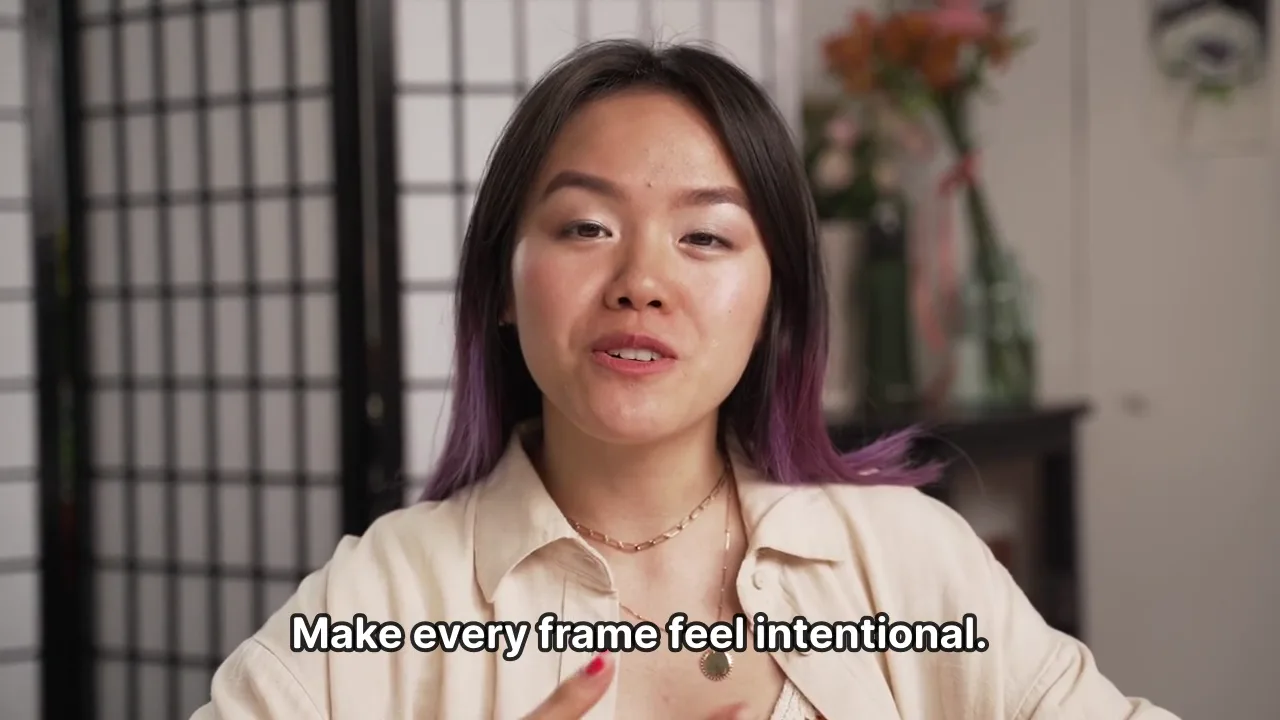
Hardcoded or burned-in subtitles are part of the rendered image. This is common when a social clip, screen recording, or final export has already combined the captions with the footage. The first choice is still to recover the project that made the video or request a clean master. A new export without the text layer preserves every underlying pixel that was originally available.
When no editable source exists and you own the footage or have permission to edit it, the task becomes visual cleanup. A lower subtitle band over a plain, stable background is usually easier to assess than text crossing a speaker's face, a product, hands, hair, fast motion, reflections, or a scene cut. Cropping can hide the band but also changes composition; covering it can break as the background moves. Review the entire affected range, not a single frame.
If the words remain after all tracks are disabled, remove hardcoded subtitles from the picture before creating a clean master for another language.
Ask for the original project, a clean master, or a version with the caption track disabled before editing the exported clip.
If that is unavailable, duplicate the exported video and identify every time range where the words appear or change lines.
Use a visual-cleanup workflow only for authorized footage, keeping the selection limited to the burned-in text area.
Inspect the result at normal speed through motion, cuts, and the first and last frames of each subtitle event before adding new captions or publishing.
Why delivery choice matters for accessibility and future edits
Separate tracks are easier to revise for language, terminology, timing, and viewer preference. They also let a publisher offer more than one language without permanently adding every version to the image. Burned-in text can be intentional—for example, a social-video style that must be visible with sound off—but it makes later corrections and localization more destructive.
That does not make one format universally better. A track depends on the target player supporting and exposing it. Open text is useful when the message must be seen regardless of the player setting. The important production decision is to preserve an editable caption source whenever you can, even if you also deliver a version with visible on-screen text.
Three real-world examples
A YouTube viewer clicks CC and the words disappear: the platform was showing a separate caption track, so no image repair is needed. A team has an MP4 plus an SRT or VTT resource: the timed text can be revised or omitted from a new delivery, while the video remains intact. A creator only has a vertical export with styled captions already visible over every scene: the source may be a burned-in version, so the team should first look for the original project or a clean master.
These examples are deliberately about the next action, not labels alone. A file can be delivered through several routes, and platforms differ in what controls they expose. The safe workflow is to confirm the actual source and output you have before you remove anything.
Use visual cleanup only after the track path is exhausted
If you have confirmed that the visible words are inside the picture, no clean source exists, and you are authorized to edit the clip, use a workflow designed for hardcoded subtitles. RemoveText.video can help prepare a clean master by selecting the subtitle area and reconstructing the affected frames while preserving the original framing. It does not remove a subtitle track, add new subtitles, or translate a video.
Do not use visual cleanup to remove ownership, attribution, provenance, safety, or legally required disclosure marks. And do not promise an invisible result before review: text that hides moving people or detailed image content may leave a repair that is unsuitable for publication.
Play the burned-in subtitle example to inspect the actual moving output; a poster cannot show flicker or changing clothing edges.
Are open captions the same as hardcoded subtitles?
Not necessarily. Open describes text that is always shown to the viewer; hardcoded or burned-in describes text rendered into the picture. They often appear together, but a label alone is not enough to choose a repair method.
Can a screenshot tell me whether subtitles are hardcoded?
No. A screenshot only proves that the words were visible at that moment. Check a player control, the original timeline, or the available caption resources before deciding whether the text is a separate track or part of the picture.
Why is there no CC button on my video?
It may mean no track is available, but it can also reflect the player, file format, platform, or current playback context. Treat it as a reason to inspect the source, not proof that the subtitles are burned in.
Can I translate a video after removing hardcoded subtitles?
You can prepare a cleaner master and then add a new subtitle track or a newly designed caption layer in your editing workflow. The old text should be removed first so the two versions do not overlap.
Can RemoveText.video remove a soft subtitle track?
No. A separate subtitle or caption track should be turned off, replaced, or excluded in the player, publishing system, or editor that manages it. RemoveText.video is for eligible text that is already visible inside authorized video frames.